
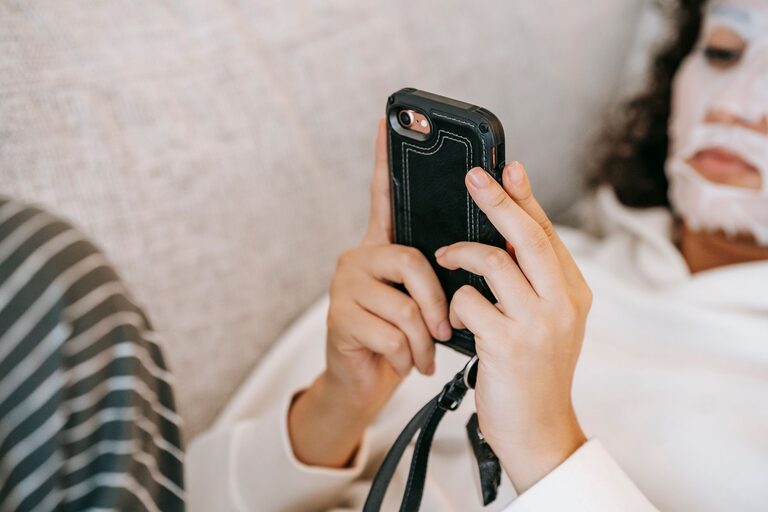
Your phone can help you stay connected, organized, and informed. It can also make it easy to lose track of time, interrupt your attention, or carry work and entertainment into every part of the day.
Healthy phone habits are not about giving up technology. They are about using it intentionally. With a few practical changes, you can make your phone work better for your schedule, attention, and everyday well-being.
Start by Noticing Your Current Habits
Before changing your routine, pay attention to how you use your phone now. Many habits happen automatically, such as checking notifications while waiting, opening an app whenever you feel bored, or reaching for your phone soon after waking up.
For a few days, consider these questions:
– When do you use your phone most often?
– Which apps take up the most time?
– Do you check your phone during meals, conversations, or work?
– What usually causes you to pick it up?
– Do you feel more focused or more distracted after using it?
Your phone’s screen time report may also show useful patterns. The goal is not to judge yourself. Awareness simply makes it easier to decide what you want to change.
Turn Off Unnecessary Notifications
Notifications are designed to get your attention, but not every alert deserves an immediate response. Frequent interruptions can make it harder to focus on important tasks and may encourage repeated phone checking.
Review your notification settings and keep alerts only for information that truly needs your attention. You might choose to:
– Turn off alerts from shopping, games, and social media apps.
– Keep notifications for calls or messages from important contacts.
– Remove sound and vibration for nonessential alerts.
– Use a daily summary instead of receiving updates throughout the day.
– Disable notification badges that show unread counts.
If you are concerned about missing something important, start with a small adjustment. Turn off notifications for one or two distracting apps and see how the change affects your day.
Create Phone Free Times and Places
Clear boundaries can make phone use easier to manage. Instead of trying to limit your phone use all day, choose specific moments when you will put it away.
Helpful phone-free times may include:
– During meals
– During meetings or focused work
– While spending time with friends or family
– During hobbies that require attention
– The first part of your morning
– The final part of your evening
You can also create phone-free places, such as the dinner table, a reading chair, or the bedroom. A charging station outside the bedroom can help keep your phone from becoming the last thing you check at night and the first thing you reach for in the morning.
The best boundaries are realistic. Start with one phone-free period each day, then expand it when the habit feels comfortable.
Use Focus Modes and App Limits
Most modern phones include tools that help you manage interruptions. Focus modes can silence selected alerts during work, study, driving, exercise, or rest. App limits can remind you when you have reached a chosen amount of time in a particular app.
These tools work best when they support a clear goal. For example, you might create:
– A work mode that allows calls from key contacts
– A sleep mode that silences most notifications
– A reading mode that blocks distracting apps
– A weekend mode with fewer work-related alerts
App limits are reminders, not a complete solution. If you regularly ignore them, consider removing the most distracting app from your home screen or taking a short break from it.
Make Your Home Screen More Intentional
The design of your phone can influence what you do without thinking. A home screen filled with social media, games, shopping apps, and news can encourage frequent checking.
Try making your home screen calmer and more useful:
– Keep only essential tools on the first page.
– Move distracting apps into folders or to a later page.
– Remove apps you no longer use.
– Use a simple background.
– Place helpful tools, such as calendars or notes, where they are easy to reach.
– Log out of apps that you want to check less often.
You can also use your phone’s search feature instead of keeping every app visible. Adding a small amount of friction can create enough time to decide whether you really want to open an app.
Set Rules for Social Media and Entertainment
Social media and streaming apps can fill small gaps in the day. A few minutes can quickly become much longer when content continues automatically.
To use these apps more intentionally:
– Decide when and where you will use them.
– Set a timer before opening an app.
– Turn off automatic playback when possible.
– Unfollow accounts that leave you feeling distracted or overwhelmed.
– Avoid using entertainment apps during tasks that require concentration.
– Choose specific activities instead of scrolling without a plan.
You do not need to eliminate entertainment from your routine. The aim is to make it a choice rather than an automatic response to boredom or stress.
Protect Your Attention During Important Tasks
Multitasking with a phone often creates more interruptions than progress. Even when you are not actively checking the screen, an incoming alert can pull your attention away.
Before starting an important task, try this simple setup:
- Decide what you want to complete.
- Put your phone on silent or activate a focus mode.
- Place it out of reach or face down.
- Keep a notepad nearby for unrelated thoughts.
- Check your phone during a planned break.
If you need your phone for work, use only the tools required for the task. Closing extra apps and tabs can reduce the temptation to switch activities.
Practice Better Evening and Morning Routines
Phone habits at the beginning and end of the day can shape your overall routine. Checking messages immediately after waking may make the day feel reactive. Using a phone late into the evening can also make it harder to transition into rest.
Consider replacing phone checking with a simple alternative:
– Stretch for a few minutes.
– Drink water or prepare breakfast.
– Write down the day’s priorities.
– Read a printed book.
– Listen to calm audio without browsing.
– Have a short conversation with someone at home.
At night, set a consistent time to stop checking work messages and entertainment apps. Keep a clock, book, or alarm device available if you usually use your phone for those purposes.
Keep Your Phone Safe and Comfortable to Use
Healthy phone habits also include practical care. Hold your phone in a comfortable position, take regular breaks during long sessions, and adjust brightness so the screen is easy to view in your surroundings. Avoid using your phone while walking near traffic or while driving.
Keep your device clean, protect it with a case, and install software updates when convenient. Organize photos, files, and apps regularly so your phone remains easy to use rather than another source of digital clutter.
Make Changes Gradually
Trying to change every phone habit at once can be frustrating. Choose one or two improvements that fit your life, such as turning off unnecessary notifications or keeping your phone away during meals.
After a week, review what worked. You may discover that small changes, such as moving an app or creating a phone-free hour, have a noticeable effect on your focus and time.
Healthy phone use is a flexible, ongoing practice. The goal is not perfect control. It is to create a routine in which your phone supports your priorities instead of constantly competing with them.
