
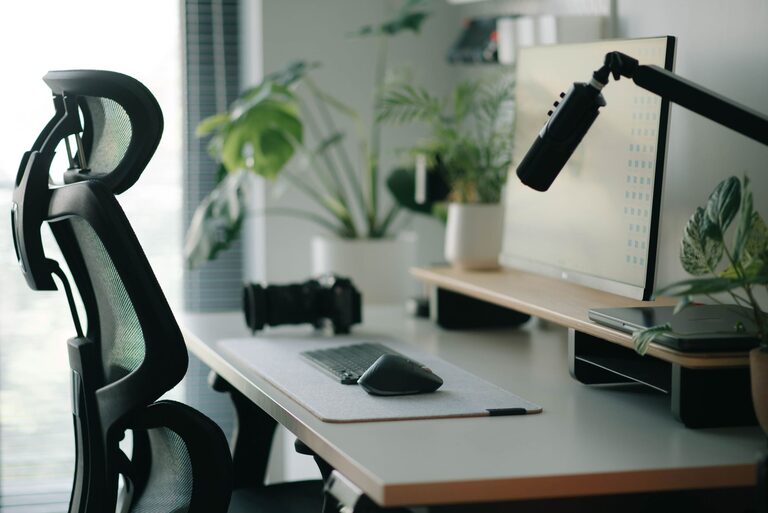
A well-planned desk setup can make work feel easier and more enjoyable. Your surroundings affect how quickly you settle into tasks, how often you get distracted, and how comfortable you feel throughout the day.
You do not need expensive equipment or a large room to create a better workspace. Small changes to your desk, chair, lighting, and daily habits can make a noticeable difference. Use the tips below to build a setup that supports both focus and comfort.
Start With a Clear Purpose
Before moving furniture or buying accessories, think about how you use your desk. A setup for writing may need more open surface area, while a setup for design, gaming, or video calls may require extra screens and equipment.
Ask yourself:
– What tasks do I do most often?
– Which items need to stay within easy reach?
– What currently causes distractions?
– Where do I feel uncomfortable during the day?
– Which tools can be stored away when they are not in use?
Your answers can guide your decisions and help you avoid adding items that create clutter without improving your workflow.
Choose the Right Desk Position
Desk placement affects lighting, noise, and distractions. If possible, place your desk near natural light without positioning your screen directly in front of a bright window. Direct light can make the display harder to see and create unwanted glare.
A wall-facing desk may help reduce visual distractions, especially in a busy room. If you prefer a more open view, position the desk so you can see the room without facing a high-traffic area.
Also consider nearby noise. Keep speakers, televisions, and busy doorways behind you or farther away when possible. Even a small change in position can make it easier to stay focused.
Set Up Your Chair and Desk Height
Comfort starts with a chair that supports your usual working position. Adjust the chair so your feet rest flat on the floor, or use a footrest if needed. Your knees should be positioned comfortably, and your shoulders should remain relaxed rather than raised.
Your desk should allow your forearms to rest comfortably while you use your keyboard and mouse. Try to keep your elbows close to your sides instead of reaching forward or outward.
A few useful adjustments include:
– Raise or lower the chair until your feet feel stable.
– Keep your shoulders relaxed while typing.
– Leave enough space under the desk for your legs.
– Avoid storing heavy objects where they limit leg movement.
– Use a cushion or footrest if the chair height cannot be adjusted enough.
If several people use the same desk, choose adjustable furniture or create a quick adjustment routine for each user.
Place Your Monitor at a Comfortable Height
A monitor that is too low or too high can make long work sessions feel uncomfortable. Position the screen so you can view it without constantly tilting your head.
Keep the monitor at a comfortable distance, usually about an arm’s length away. The top portion of the screen should be near eye level, although the best position depends on your screen size and personal preference.
For a laptop, consider using a stand or a stack of sturdy books to raise the display. Pair it with a separate keyboard and mouse so you can keep the screen at a better height without lifting your hands too high.
If you use two monitors, place the screen you use most directly in front of you. Keep the second screen close beside it to reduce frequent turning.
Improve Lighting
Good lighting makes it easier to read and can help your workspace feel more inviting. Aim for a mix of general room lighting and task lighting.
Place a desk lamp on the side opposite your writing hand to reduce shadows. Choose a lamp with adjustable direction so you can aim the light at documents or the work surface instead of directly at the screen.
Avoid placing a bright lamp behind your monitor or directly in your line of sight. Reflections and strong contrasts can be distracting. If your screen appears washed out, adjust the monitor angle, move the light source, or use blinds to soften daylight.
Organize Your Most-Used Items
A tidy desk is easier to use, but an empty desk is not always practical. Keep frequently used items nearby and store everything else out of the way.
Use simple zones:
– Daily zone: keyboard, mouse, notebook, and water bottle
– Reference zone: books, documents, or a tablet
– Storage zone: chargers, spare supplies, and personal items
– Technology zone: cables, hubs, and accessories
Small trays, drawer organizers, and cable clips can keep items contained. Avoid covering the entire desk with organizers, since too many containers can become another source of clutter.
At the end of the day, take a few minutes to return items to their usual places. This creates a cleaner starting point for the next work session.
Manage Cables and Devices
Loose cables can make a desk look crowded and make cleaning more difficult. Start by identifying which devices you use regularly. Unplug or store items that are rarely needed.
Group cables by purpose and label both ends if you have several similar cords. Cable clips can guide wires along the back or edge of the desk, while a cable box can hide power strips and extra length.
Keep charging cables in one accessible location. This prevents you from searching for them and helps maintain a consistent layout.
Reduce Digital Distractions
A comfortable physical setup is only part of a focused workspace. Your screen and devices can also interrupt your attention.
Consider these changes:
– Turn off nonessential notifications.
– Keep only the apps you need open.
– Use separate browser windows for different projects.
– Place your phone out of reach during focused work.
– Set a simple background that is easy on the eyes.
– Use website or app limits when you need uninterrupted time.
You can also create a clear distinction between work and rest by closing work-related tabs at the end of the day.
Add Personal Touches Carefully
A workspace should feel comfortable and personal, but decorations should support rather than compete with your attention. Choose a few items that make the area pleasant, such as a small plant, framed print, or favorite notebook.
Avoid filling every open space. A simple visual style can make the desk feel calmer and make it easier to find what you need.
If you enjoy music, keep speakers positioned so the sound does not become a distraction. Headphones can be useful in shared spaces, but leave enough time for quiet breaks during the day.
Build Better Desk Habits
Even the best desk setup cannot replace regular changes in position. Stand up, stretch, refill your water, or look away from the screen throughout the day. Short breaks can also help you return to tasks with renewed attention.
Try using a timer to create a simple work rhythm. For example, focus on one task for a set period, then take a brief break to move around. Adjust the timing to match your work style.
Review your setup every few weeks. Notice what feels inconvenient, what creates clutter, and which tools you no longer use. A workspace should change as your tasks and routines change.
Final Thoughts
A focused and comfortable desk setup comes from thoughtful placement rather than expensive upgrades. Start with the basics: a clear work surface, suitable lighting, a comfortable chair, a well-positioned screen, and fewer distractions.
Make one or two changes at a time, then see how they affect your workday. With consistent organization and regular breaks, your desk can become a space that makes everyday tasks feel simpler and more manageable.
